|
| |
|
 |
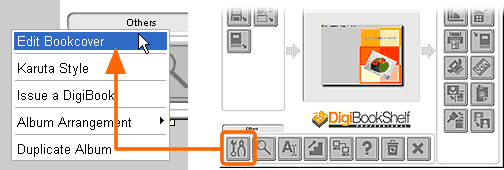
| (1) Right-click on a spine or a cover of an album you wish to change its bookcover of, and open a setting window. |
 |
| |
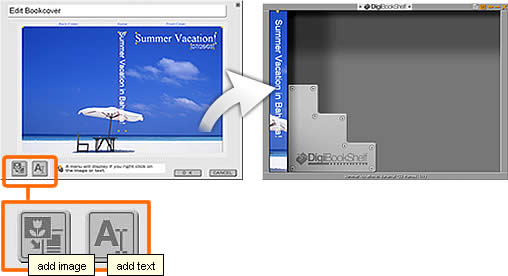
| (2) Bookcover Editor window will open. You can add pictures or texts by clicking a respective button shown above. Once you like how your album cover looks, click OK to complete. |
|
|
|