[ Edit Image ]

Rotate/Flip
Function
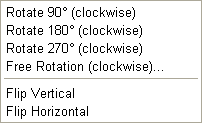
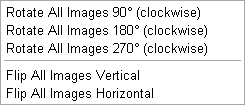
This function unables you to rotate the image by 90,180, or 270 degrees.You can also rotate by typing in any degree. The flipping function enables you to view either vertically or horizontally the image "as if reflected on a mirror".

Resize

Function
This function enables you to resize images the Album.

Resize
You can select the enlargement/reduction percentage with the "Resize" dialog box.

Circumscribed Rectangle
After defining the width and height in pixels, all the images in the Album will adjust their sizes to that rectangle.

Save Ratio
Even if you adjust the size, each image's vertical to horizontal ratio will be kept.


Change Color Resolution
Function
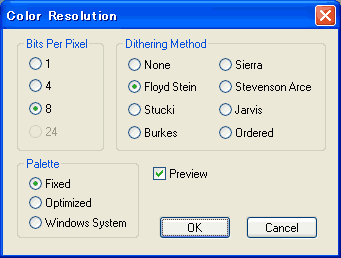
You can change the image's color resolution. Carry out settings with the"Change Color Resolution"dialog box , and click on "OK".

-Bits/Pixels
Set the format of the image's color expression.

-Dithering Method
No dithering, or select dithering method

-Palette
Select the palette.

-Preview
If you check the box, you can preview the image after adjustments.

*Even if you try to change the color resolution of a JPEG image to 8 bit, it is impossible due the nature of the image format. In this case, convert once the image format into Bitmap before the process.


Color/Filter/Transform
Function
Spark your imagination with inspirational Recipes, instantly apply filters and transforming effects onto your photos. You can also change the amount of the effects. Place your mouse cursor on the name of the filter to see the preview of the effect.

Color
Brightness Contrast Hue Saturation
Gamma Correct RGB Modification
Filter
Average Median Sharp Noise
Edge Enhance Emboss Invert Equalize
Posterize Gray Scale Oilify Blurred Ellipse
Diffuse Mosaic Earthquake
Transform
Sphere Column Wave1 Wave2

Cut
Function
This is to cut unnecessary parts of an image.

Combine All Images
Function
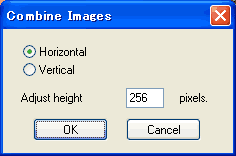
This function unables you to combine all the images or selected images in the Album to make 1 image.

Management of the edited image
Once you edit the image, "This image has been changed" dialog will appear to select the management from the list below.

* Save changes to original image.

* Save as alternative image in Album.

* Save as alternative image file.